Docker - Day 1
How to install docker?
Can be installed in two ways
⦿ Manual installation: Docker can be installed by following the instructions over here Refer Here
⦿ script-based installation Refer Here
Run the below two comments:
curl -fsSL https://get.docker.com -o get-docker.shsh get-docker.sh
Docker allows communication to the Unix socket for the users who belong to the docker group. so let's add the current user to the docker group sudo usermod -aG docker <username>. Then logout and login.
Command to create container: Docker container run
Update apt database with apt using the following command.
sudo apt update
After updating apt database, We can install net-tools using apt by running the following command:
sudo apt -y install net-tools
2)Use the docker inspect command to view detailed information about a container or image.
docker inspect is a command that returns detailed, low-level information on Docker objects. Those objects can be docker images, containers, networks, volumes, plugins, etc. By default, docker inspect returns information in JSON format.
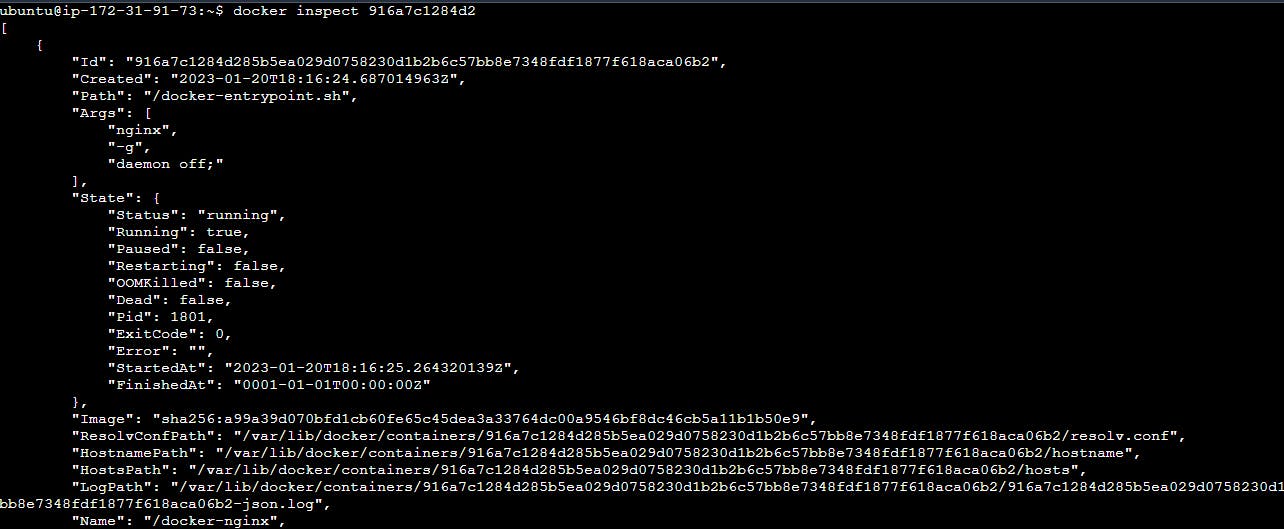
3)Use the docker port command to list the port mappings for a container.
The “docker port” command is used to list the port mappings for a container.
command - docker port <container-name>

4)Use the docker stats command to view resource usage statistics for one or more containers.
docker stats : The docker stats command returns a live data stream for running containers. To limit data to one or more specific containers, specify a list of container names or ids separated by a space. You can specify a stopped container but stopped containers do not return any data.
Command - docker stats Container_ID


5)Use the docker top command to view the processes running inside a container.
docker top : Display the running processes of a container.
command : docker top <container>

6)Use the docker save command to save an image to a tar archive and then use the docker load command to load an image from a tar archive.
docker save : Save one or more images to a tar archive
command : docker save [options] [image]
option: --output , -o : Write to a file, instead of STDOUT

7)Use the docker load command to load an image from a tar archive.
command : docker load [options]
options:
--input , -i : Read from tar archive file, instead of STDIN
--quiet , -q : Suppress the load output
This will load the image from the specified tar archive file and add it to your local image repository.

Use docker imagecommand to pull the images
docker image pull
docker image lsdocker image rm
Command to create container
command to delete containers: docker container rm -f <Container_Name>
docker container rm -f $(docker container ls -a -q)

